A straight-talk guide for CEOs, CFOs, and business leaders
If you run a company, you’ve probably noticed your Microsoft costs creeping up. It’s easy to file this under “IT stuff” and move on. But the changes happening right now deserve a few minutes of your attention, because they affect your budget, your security, and your risk. Here’s what’s going on and why it matters, without the technical jargon.
The short version
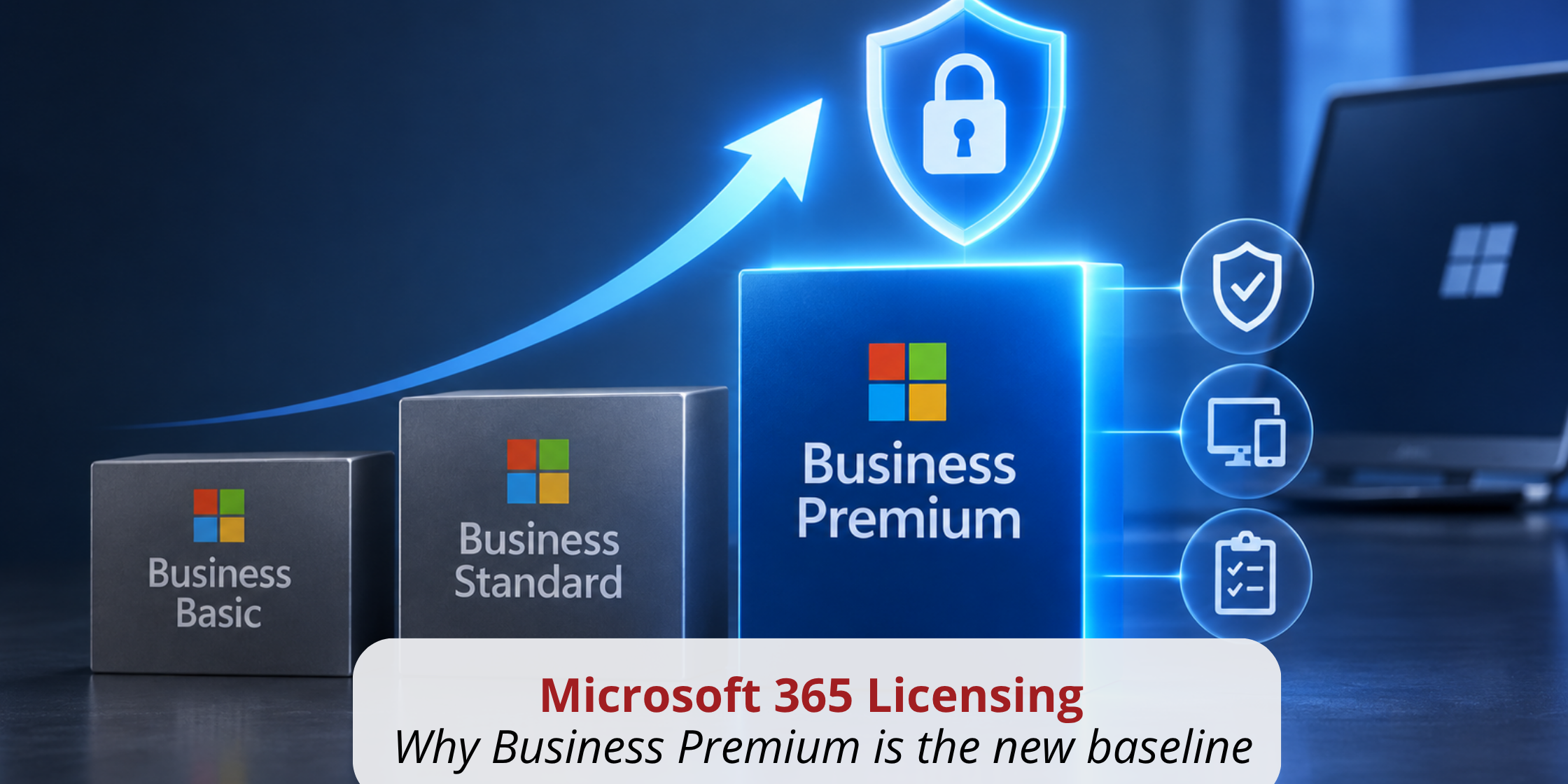
Microsoft is doing two things at once. It is raising prices on its lower-tier plans while steadily moving the most valuable security and management features into its higher tiers. Both point in the same direction. The tools needed to run a business safely now live in Microsoft’s business-grade plans, and the days of “good enough” security are ending.
Prices are shifting, and so is the value
On July 1, 2026, Microsoft raised the price of its lower-tier plans while leaving its more capable plan untouched. Business Basic went from $6.00 to $7.00 per user each month, and Business Standard went from $12.50 to $14.00. Business Premium, the plan that actually includes real security, did not change at all and held at $22.00.
That may look like a small detail, but it tells you exactly where Microsoft is steering everyone. The gap between Standard and Premium used to be $9.50 per user. Now it’s $8.00, and for that difference you move from a plan that is mostly about productivity to one that includes real security and device management. This isn’t a one-time adjustment. It’s a clear, ongoing direction, and we expect it to continue into 2027.
The three plans, side by side
Most businesses are sitting on some mix of Basic and Standard today. Here’s how the three stack up, in plain terms:
| Business Basic | Business Standard | Business Premium | |
|---|---|---|---|
| Best described as | Email and apps in the cloud | Full productivity suite | Productivity plus real security |
| Price (per user/mo.) | $7.00 | $14.00 | $22.00 |
| The apps your team knows | Web and mobile only | Full desktop apps | Full desktop apps |
| Advanced email protection | No | No | Yes |
| Device management & remote wipe | No | No | Yes |
| Data protection & compliance | No | No | Yes |
| Best for | Very basic needs | Productivity-first teams | Any business serious about security |
(Prices reflect the July 1, 2026 update.)
The message that falls out of it is simple: Basic and Standard are about getting work done. Premium is where your business actually gets protected.
Why Business Premium (or higher) is now the practical baseline
Here’s the part that ties it together. The lower-tier plans give your people the familiar apps: Word, Excel, Outlook, Teams, and file storage. Business Premium includes all of that too but adds the protections that a modern business actually needs. Think of it like the difference between Windows Home and Windows Pro. Home is fine for everyday personal use, but Pro is built for business, with the added security and control an organization requires.
For roughly $8.00 more per user each month than Standard, Business Premium adds:
- Advanced email protection that checks links and attachments before they can harm someone, defending against the phishing and ransomware that cause real financial damage.
- Enterprise-grade device protection that guards the laptops and phones connecting to your business and can wipe them remotely if one is lost or stolen.
- Stronger identity and access controls so employees can safely reach company data from anywhere, with rules that block risky sign-ins.
- Data protection and compliance tools that help keep sensitive business information from leaking out.
None of that is included in the lower tiers. That’s the gap that leaves a business exposed, and it’s exactly the gap that closes when you move up.
The “compliance gap” Microsoft is quietly closing
Here’s something happening behind the scenes that’s worth your attention. A lot of the security protections businesses count on, like requiring a second step to sign in or blocking logins from risky locations, run on a Microsoft feature that technically requires a specific license for every user it protects. For years, that feature worked across an entire company even if only some users were properly licensed. In practice, many businesses have been running on protection they weren’t fully paying for, usually without anyone realizing it.
That’s now changing. As of August 2026, Microsoft began displaying a warning inside the administrator portal telling companies that their security policies are “protecting more users than your current licensing allows.” It isn’t a bill, and it isn’t a shut-off notice. What it signals is that Microsoft can now see the gap; it’s putting that gap in front of businesses, and the long-standing “it just works” era is ending.
This is where moving up actually solves a problem rather than just adding cost. The license that covers these protections is built into Business Premium. So, upgrading doesn’t just unlock stronger security; it also brings you into compliance on protection your business may already be relying on, before that warning turns into something more forceful.
A quick note on sign-in security
Alongside these licensing changes, Microsoft is also retiring text message and phone call sign-in codes in favor of more secure methods. That shift has its own deadline and its own steps to prepare. Rather than repeat it here, we’ve covered it in detail in a separate post: Microsoft MFA Is Retiring SMS: What to Know. It’s worth a read, because it affects every user who signs in.
What we recommend you do now
You don’t need to make every decision today, but you should get ahead of these changes rather than react at renewal time. Two practical steps:
- Plan and budget for the reality that Microsoft licensing costs are likely to keep rising into 2027.
- Review your current licensing against your actual security needs. Look at where your team sits today, whether your protections are properly licensed, and where the gaps are. If you have a trusted IT partner, this is a great conversation to have with them. If you’d like an outside perspective, the team at ABS is always happy to help you think it through.
Key takeaways
- Microsoft’s lower tiers are getting more expensive, and the higher tiers are where the value now lives. Business Premium held its price while Basic and Standard went up.
- Business Premium is the practical baseline for a modern business, adding real email protection, device management, and data safeguards that the lower plans simply don’t include.
- Microsoft is starting to close a long-standing licensing gap on the security features many businesses already use, so getting properly licensed now is smart risk management.
Frequently Asked Questions
Contact Advanced Business Solutions:
- Phone: 502-896-2557
- Web: AdvancedBusinessSolutions.com
- Office: 1745 Payne Street, Louisville, KY 40206